

Microsoft 365 Copilot Essentials
Many organisations and professionals struggle to unlock the true potential of Microsoft Copilot. Licenses are rolled out, but without skills in prompting or a clear understanding of how Copilot fits within everyday workflows, adoption remains low and the benefits to productivity and collaboration are lost
Microsoft 365 Copilot Essentials is a one-day, hands-on course that builds the practical skills to use Copilot confidently and productively across Outlook, Word, Excel, PowerPoint, OneNote and Teams. You will learn to prompt with purpose, manage routine tasks more efficiently and use AI responsibly to produce accurate, highquality work. By building Copilot into your daily routine, you will strengthen teamwork, save time and create measurable value in your organisation.
Please note: to complete this course, you must have Microsoft 365 Copilot – Business/Enterprise (Add-on license) through your organisation or education provider.
Is this course right for you?
This course is ideal for professionals, managers and team leaders across HR, finance, operations, marketing and customer service who want to unlock the full potential of Microsoft Copilot across the suite and integrate it into daily workflows to reduce admin, improve efficiency, quality of outputs and collaboration.
Learning Outcomes
Upon completion of this course, you will be able to:
- Apply Microsoft Copilot across Microsoft 365 applications to streamline communication, automate tasks and improve workflow efficiency
- Use effective prompting techniques to generate accurate and relevant results with Copilot
- Analyse and visualise data in Excel using Copilot to produce faster, more accurate insights for decision-making
- Create engaging presentations in PowerPoint using Copilot to generate content, provide layout suggestions and create speaker notes
- Leverage Copilot to streamline everyday tasks such as summarise meetings, emails, notes and reports using natural language prompts
- Evaluate the ethical, secure and responsible use of Copilot, with a focus on privacy, compliance and governance controls

Upcoming Courses
Upcoming Virtual Courses
Team Training
The Microsoft 365 Copilot Essentials Short Course can be delivered as Group Training to ensure consistency, alignment, and immediate application in your workplace.
Bring your team together for a shared learning experience that delivers stronger engagement and a cost-effective, scalable solution for upskilling your workforce.

Delivery Modes

On-Campus Workshop – 1-day face-to-face workshops
The benefits of studying in a classroom setting include being able to share first-hand experiences, ideas and questions with peers and our expert facilitators. You’ll study alongside like-minded people and strengthen your network.
Unless otherwise noted, AIM's On-Campus Short Courses begin promptly at 9:00 AM and finish no later than 5:00 PM (Local Time).

Virtual Classroom - 1-day virtual session
Utilising highly accessible digital capabilities, virtual classrooms provide the benefits of live learning — working with peers, asking questions with immediate answers from facilitators, and stimulating deeper discussions — with the flexibility of online learning.
AIM's Virtual Short Courses begin at 9:00 AM and finish no later than 5:00 PM (AEDT/AEST). In some instances, we schedule our Virtual Short Courses between 11:00 AM and 7:00 PM to accommodate customers who may live on the West Coast of Australia or who prefer a later start time. Specific session times are shown throughout the booking process.

Contextualising training engagements for your industry or organisation maximises relevance and increases the transfer of learning into the workplace. Develop team cohesion and achieve your specific business objectives through a shared, in-house learning solution.
AIM’s experienced learning designers develop both accredited and unaccredited learning engagements to build the critical competencies you need for success. Join over 500 organisations creating compelling and engaging AIM tailored learning solutions for industries including Government, Health, Financial Services, Mining, Manufacturing, Construction and more.
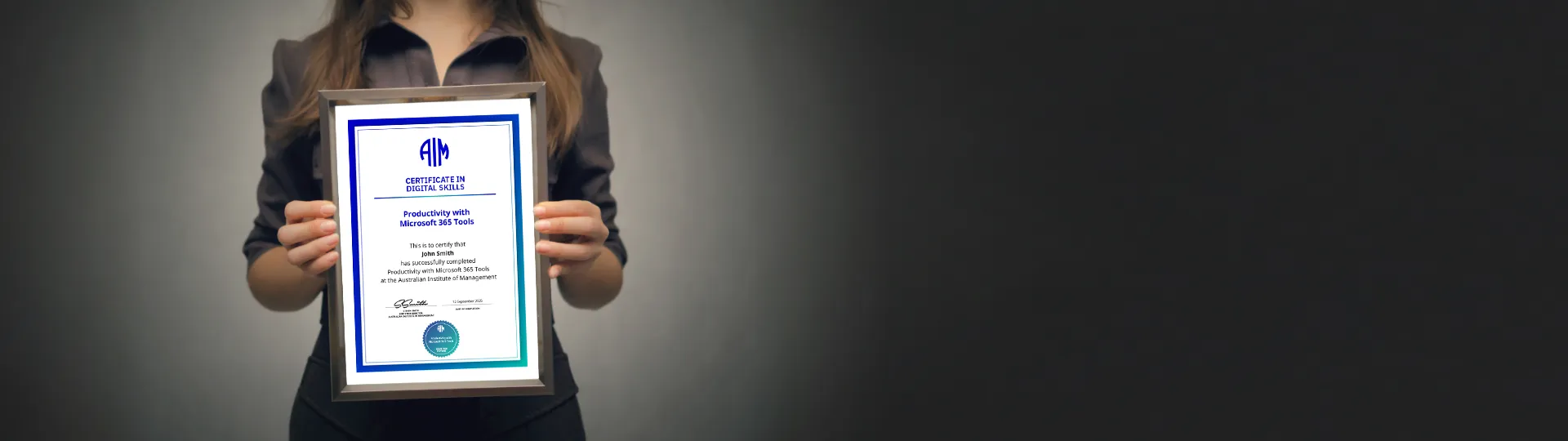
Learn it. Earn it.
Share it.
By completing AIM’s Microsoft 365 Copilot Essentials course, you will receive a certificate to recognise the high standard of learning and skill development you have attained. Print your industry-recognised certificate of attainment or share electronically to demonstrate your ever-growing value to employers and peers.
Course Video Overview
This overview video provides a clear introduction to Microsoft 365 Copilot Essentials, outlining the key learning outcomes, structure, and practical benefits.
It’s designed to help you understand how the program will support your professional development and contribute to your success.

Other Information
Payment Options
We require full payment to be made upfront prior to attending the training. Payment options we offer include:
- Credit Card (Visa/MasterCard/Amex)
- Direct Deposit (EFT)
- Purchase Order
- Payment Plan - zipMoney
Prerequisites:
- Productivity with Microsoft 365 Tools can be done prior to this course.
All students receive:
- Comprehensive course notes
On-campus students receive:
- Morning tea, lunch and afternoon tea
- Internet access
- Please advise AIM when booking if you have any dietary or accessibility requests.
Virtual classroom students receive:
- Downloadable course notes, digitally fillable
- Downloadable tools and resources.
Requirements:
- Microsoft 365 Copilot – Business/Enterprise (Add-on license)
Virtual students will require the following:
- Computer or mobile device
- Access to ChatGPT
- An internet connection (broadband/4G+ recommended)
- Speakers and a microphone
- A webcam

Our Facilitators
AIM facilitators are experienced practitioners with a robust mix of academic and practical expertise. We believe the education of the future managers of Australia to be a highly important task.
Who is better placed to teach the art and science of management than those with current, daily real-world experience?
Related Courses


FAQs
The AIM Blog
The AIM blog shares insights and thought leadership on the skills, strategies, and trends shaping today’s workplace.
Covering topics from leadership and professional development, articles help professionals stay current, build capability, and succeed in a rapidly changing world.